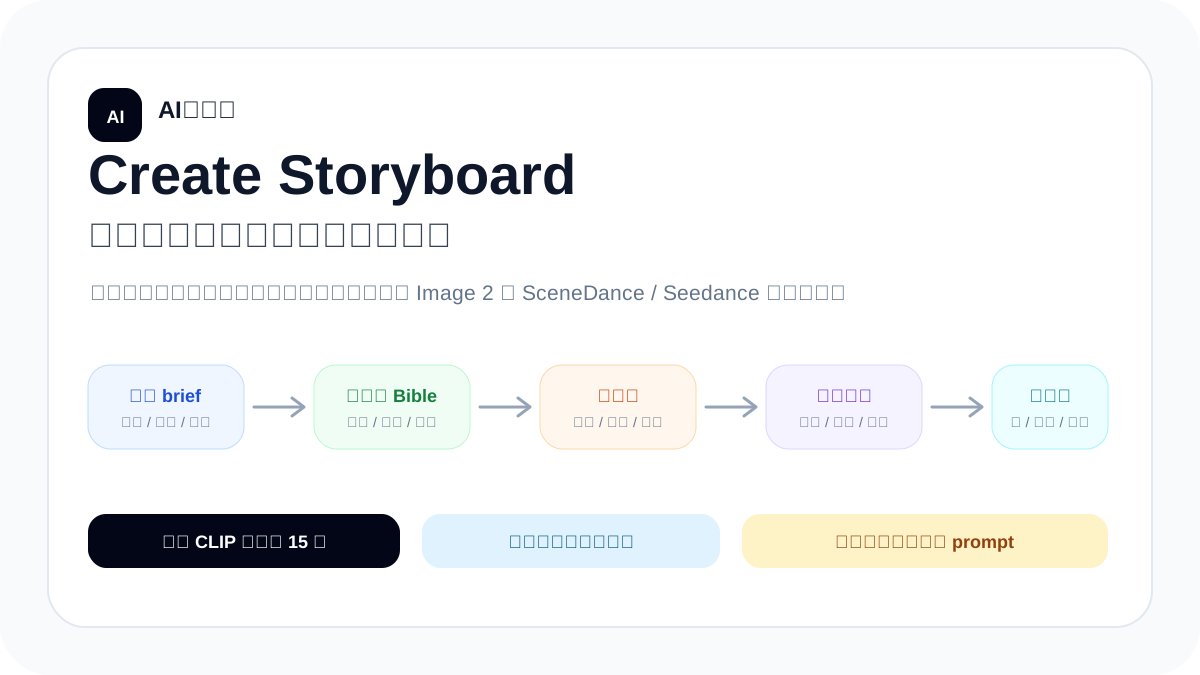
Create Storyboard:把脚本变成可生成的分镜生产包
用 Create Storyboard 的方法,把短剧、广告片、产品片或动画概念脚本拆成 Image 2 与 SceneDance/Seedance 能执行的分镜生产包:先锁连续性,再写镜头卡、参考图矩阵、镜头交接和剪辑计划。
你将学到什么
这篇教程讲的是一套“先设计,再生成”的 AI 视频分镜方法。你会看到为什么不能只把脚本丢给 AI 说“帮我写分镜”,而要先把角色、场景、道具、镜头方向、动作起止、情绪起止和剪辑交接都整理清楚。学完以后,你可以把底部的任务卡截图或复制给自己的 Agent,让它帮你产出 Image 2 关键帧提示词、SceneDance/Seedance 视频提示词和剪映/CapCut 拼接计划。
为什么需要 Create Storyboard
AI 视频真正麻烦的地方通常不是“单段画面不会动”,而是多段生成以后很难剪在一起:人物可能变脸,衣服和道具会跳,镜头方向忽左忽右,上一段抬手还没结束,下一段已经换了姿势。Create Storyboard 的价值,就是在写提示词之前先把连续性和剪辑点设计好,让每个 0-15 秒的视频片段都知道自己从哪里接进来,又把什么交给下一段。
适合谁
- 短剧、剧情广告、产品片、知识短视频、动画概念片,需要多段 AI 视频拼接的人。
- 已经有脚本或故事梗概,但不知道怎么拆成镜头、关键帧和视频提示词的人。
- 希望用 Image 2 先做干净关键帧,再把关键帧交给 SceneDance/Seedance 生成动作的人。
- 想让 Agent 输出可复核的生产包,而不是只给一堆松散 prompt 的人。
不适合什么需求
如果你只想生成一张海报、一张角色设定图,或者只要一条 5 秒以内的单镜头视频,就不需要这么重的流程。它也不是“一键生成完整成片”的承诺:Create Storyboard 负责把生产计划、参考图、镜头提示词和剪辑规则做清楚,后面仍然需要生成、挑选、剪辑和复核。
核心原则
- 1每个 SceneDance/Seedance 片段不超过 15 秒,不按固定时长硬切,而是按动作量和信息量切。
- 2默认一镜一段:一个 SH### 对应一个 CLIP###,除非只是低风险插入镜头。
- 3每段只安排一条主动作链和一个主要镜头运动,避免让 AI 同时处理太多变化。
- 4先做连续性 bible,再写提示词;人物、服装、道具、空间轴线、光线和色调都要锁定。
- 5相邻镜头要有接力物:动作、视线、道具、门框、光线、声音或运动方向都可以成为交接线索。
- 6干净关键帧是视频生成的主输入;带文字表格的分镜板更适合审阅,不适合当唯一视频输入。
技术路径总览
标准工作流
- 1写项目简报:视频类型、平台、目标时长、画幅比例、受众、故事意图、角色、场景、道具和交付范围。
- 2拆剧情 beat:找出情绪转折、关键动作、产品露出、信息揭示和天然剪辑点。
- 3做连续性 bible:锁人物身份、服装、发型、道具、场景地理、镜头轴线、视线方向、光线、天气和色调。
- 4做资产计划:列出角色参考、表情、姿势、场景、道具、起始关键帧、动作关键帧和每个 clip 的分镜图。
- 5写镜头卡:每个镜头都说明目的、时长、景别、镜头运动、构图、动作起止、情绪起止、接入状态和交出状态。
- 6写参考图矩阵:每个 clip 明确主输入关键帧,以及要搭配哪些角色、场景、道具或 storyboard 参考。
- 7写镜头交接矩阵:上一段交出什么,下一段接住什么,靠动作、空间、遮挡、视觉 token 还是声音接力。
- 8写剪辑边界矩阵:选择动作切、视线切、构图切、遮挡切、J-cut 或 L-cut,并说明剪映/CapCut 里如何处理。
- 9分别写 Image 2 中文/英文提示词,再写 SceneDance/Seedance 视频提示词和后期剪辑计划。
- 10最后按验收清单检查:没有超 15 秒片段,每段都有交接设计、主输入图、风险和备用方案。
效果展示:原创 SG 风格短剧样片
下面用一个原创示例演示这套 skill 的效果。这里的 SG 风格按“科幻感、悬疑短剧、强规则空间、短视频节奏”来处理,不复刻任何现有影视 IP,也不使用真实品牌或真实人物。示例目标不是展示完整成片,而是让读者看到:同一段脚本如何被拆成可交给 Image 2 与 SceneDance/Seedance 继续生成的生产包。
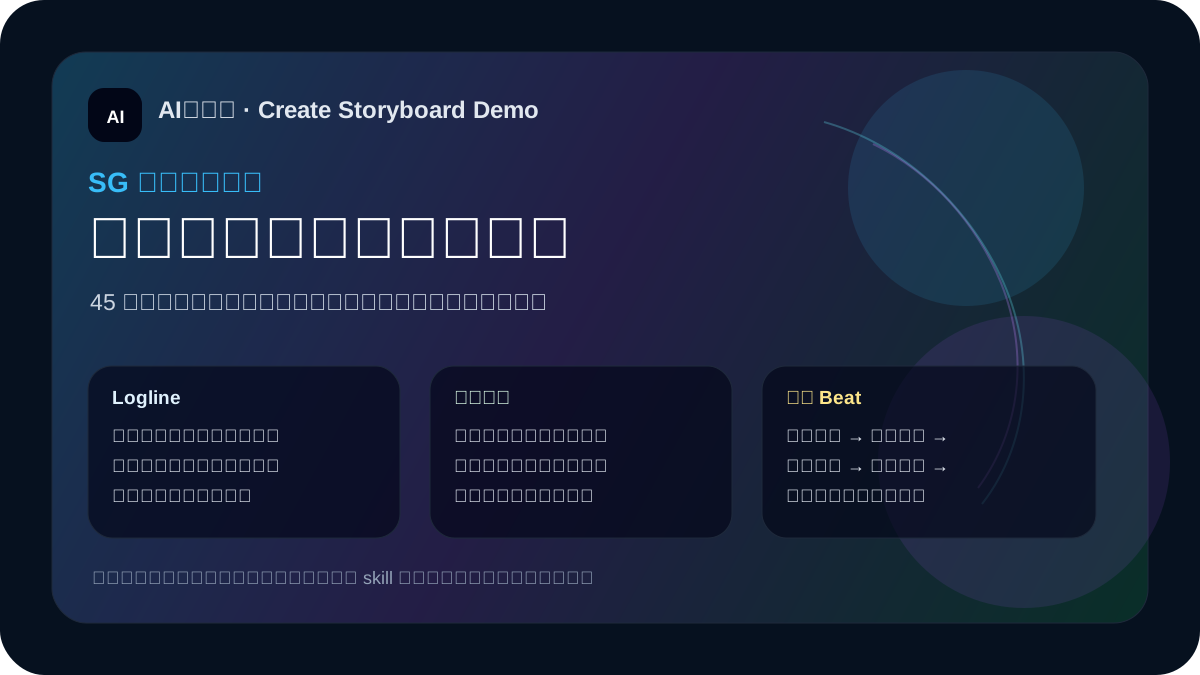
# 示例脚本:《霓虹雨里的旧收音机》

45 秒竖屏短剧。暴雨夜,送货女孩林桥在一条霓虹巷口捡到一台黑色旧收音机。收音机旋钮自动转动,里面传来一个和她声音极像的人说:“明天零点,不要上天桥。”林桥追着电台里断续的电流声跑上天桥,城市广告牌突然全部熄灭,只剩红色警报灯。收音机最后一次响起:“回头。”她慢慢转身,看见桥另一端站着一个穿同样银灰雨衣、左手也系着红绳的自己。

人物锁定:林桥,24 岁,短发,银灰雨衣,左手红色手绳,旧耳机,始终从画面左侧向右侧移动。
关键道具:黑色旧收音机,旋钮会自己转动,屏幕只显示蓝色电流线。
空间锁定:雨夜霓虹巷口 → 天桥楼梯 → 天桥中央;冷蓝主光,危险信息只用红色。
核心悬念:收音机里的声音来自未来的自己。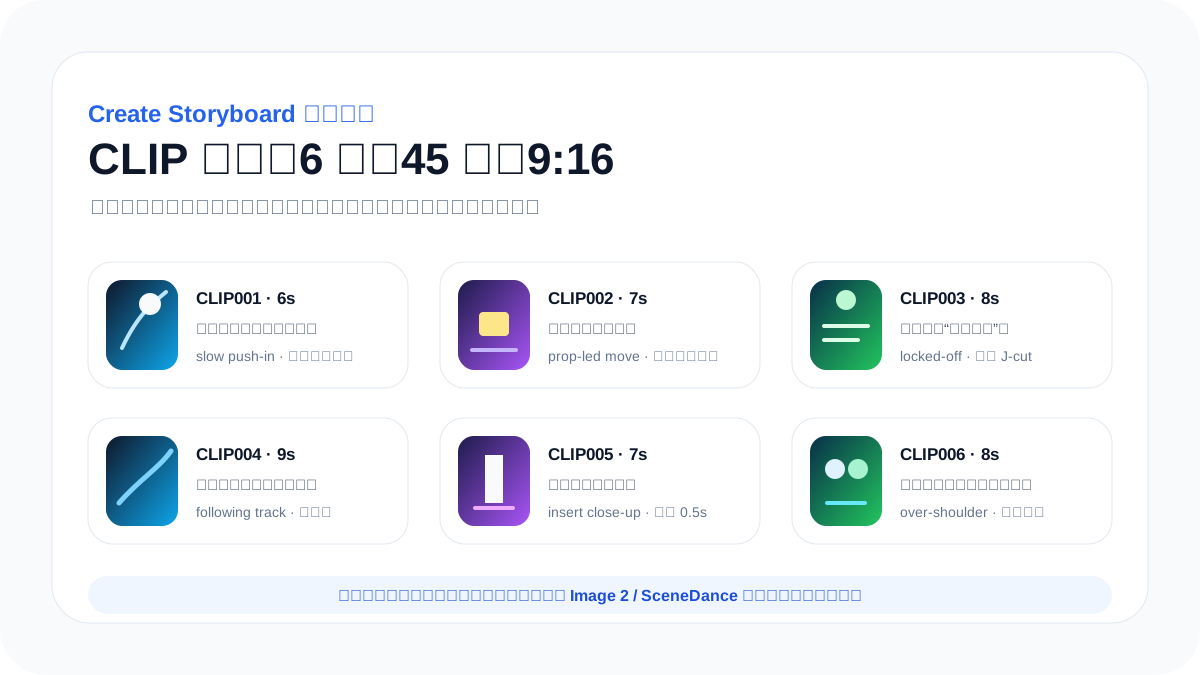
- Brief:45 秒竖屏短剧,科幻悬疑氛围,冷蓝雨夜 + 红色警报作为视觉规则。
- Continuity locks:林桥的雨衣、红手绳、旧耳机、移动方向、旧收音机和天桥空间全部锁定。
- Clip plan:6 段分别处理发现、触碰、听见留言、追上天桥、收音机静音、回头看到另一个自己。
- Reference matrix:每段都需要一张干净关键帧,外加角色参考、旧收音机道具参考和天桥场景参考。
- Prompt plan:Image 2 负责关键帧和道具图,SceneDance/Seedance 负责每段动作和镜头运动。
- Edit plan:用声音 J-cut、视线切、道具插入、门框遮挡和红蓝色彩匹配吸收生成跳变。
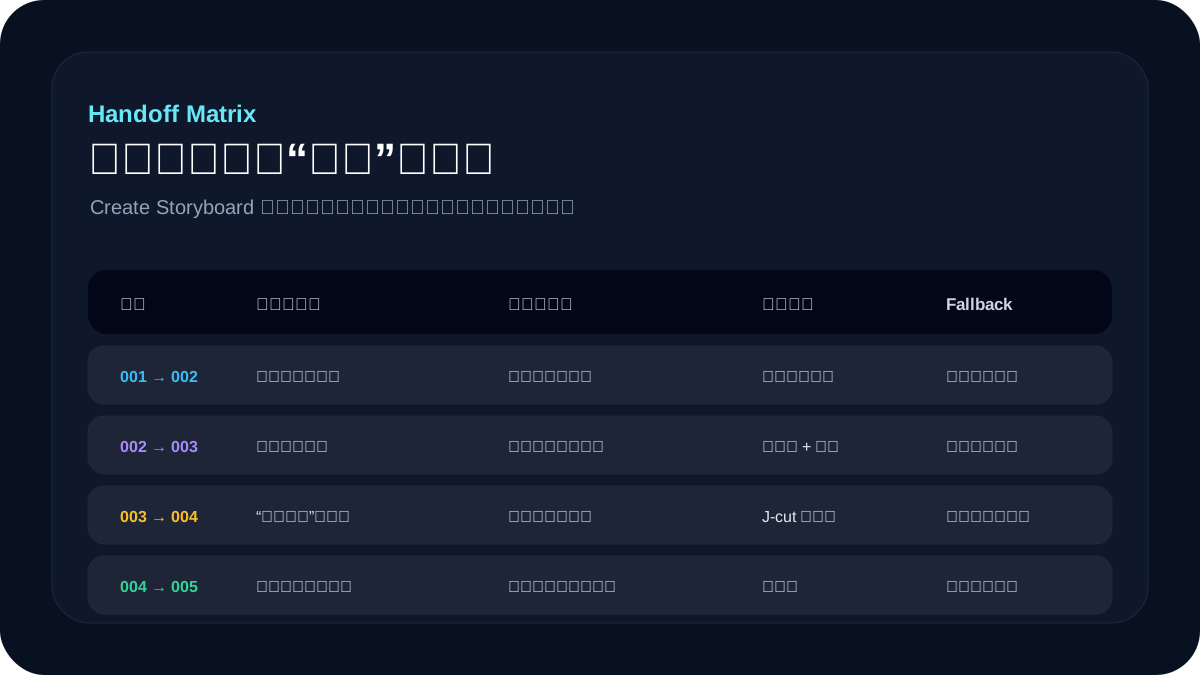
这个示例最值得看的不是剧情本身,而是拆解方式:同一个短剧概念被整理成角色锁定、道具锁定、空间方向、clip 计划、参考图矩阵和交接矩阵。读者把自己的脚本换进去,就能得到一份更接近真实视频生产的分镜包,而不是只得到几段孤立 prompt。
交给 Agent 前先准备什么
- 脚本或故事梗概:哪怕只有 300 字,也要有起承转合。
- 平台和比例:例如抖音竖屏 9:16、B 站横屏 16:9、小红书 3:4。
- 目标时长:例如 30 秒、60 秒或 90 秒,不要让 Agent 盲猜。
- 角色设定:年龄、外貌、服装、性格、情绪基调和不能变化的特征。
- 场景设定:地点、时间、光线、空间关系、镜头方向和关键道具。
- 画面风格:写实、动画、商业广告、电影感、手持纪实或产品演示。
- 交付范围:只要分镜表,还是要 Image 2 prompt、SceneDance prompt 和剪辑表一起出。
Create Storyboard MD 原文
下面保留 Create Storyboard 的 MD 原文,不做改写。读者可以先看前面的解释理解思路,再点右上角“一键复制”把整段原文交给自己的 Agent 使用。
---
name: create-storyboard
description: Create complete director-grade storyboard production packages for Image 2 and SceneDance/Seedance video generation. Use when the user provides a script, scene idea, ad concept, short drama, long-form drama, period drama, sci-fi animation, product video, or asks for 分镜图, 剧本分镜, SceneDance/Seedance 视频素材, Image 2/Img2 prompts, character consistency sheets, continuity bibles, shot cards, clip references, keyframes, Jianying/CapCut edit lists, or image-to-video production assets.
---

# Create Storyboard

## Mission

Turn a script into a SceneDance/Seedance-ready production package that behaves like it was prepared by a director, storyboard artist, editor, and AI video production coordinator. The output is not a list of visual descriptions; it is a continuity-controlled plan for generating many `0-15s` video clips that can be cut together smoothly.

Always optimize for:

- film continuity between independently generated clips
- one clear action chain and one main camera movement per SceneDance generation
- explicit action start/end and emotion start/end for every shot
- deliberate shot handoffs: each clip ending plants a visual, spatial, motion, or sound clue that the next clip receives
- reference-image discipline: character, scene, prop, keyframe, and storyboard inputs
- handoff and edit-point design before prompt writing
- post-production usability in Jianying/CapCut

## Hard Rules

- SceneDance/Seedance clips must be `<= 15s`.
- New projects default to `SH### = CLIP###`: one film shot equals one SceneDance video generation. A `CLIP###` may cover multiple shots only for low-risk inserts or when the user explicitly asks.
- A user request for "分镜图", "重新生成分镜图", "storyboard images", or "SceneDance inputs" means per-clip deliverables by default. Do not satisfy it with one full-film overview board unless the user explicitly asks for an overview/contact sheet.
- A full-film overview board, master storyboard sheet, or contact sheet is only for review. It is not a final SceneDance storyboard image and must not be counted as delivered `CLIP###` storyboard output.
- Every final storyboard image must cover exactly one SceneDance generation unit: `final_image_package/clip_storyboards/<CLIP###>_storyboard_<time-range>.png`.
- Final storyboard boards must be production boards, not AI-generated mood boards. Do not ask an image model to generate the final board layout, labels, captions, tables, or readable production text.
- Image models may generate only clean visual sources for storyboard boards: start panel, key-action panel, edit-out panel, handoff panel, or clean keyframes. Assemble the final storyboard board with deterministic local layout code, HTML/CSS screenshot, a design tool, or another controllable renderer.
- A final storyboard board must contain readable, deterministic production metadata: `CLIP ID`, time range, duration, scene/location, aspect ratio, tone/style, `START`, `KEY ACTION`, `EDIT OUT`, camera method, action start/end, emotion start/end, handoff-out, edit boundary, audio bridge, risk/fallback, and reference-image combination.
- Reject and regenerate/rebuild any storyboard board that has empty caption areas, missing `CLIP ID`, missing time range, missing start/key/edit-out structure, unreadable/garbled metadata, mixed multiple clips, poster-like composition, or lacks edit/handoff information.
- Durations are story-driven. Do not split by fixed totals such as 4 x 15s for a minute. Use `2-4s` for inserts/reactions, `4-7s` for clear physical actions, `8-12s` for sustained performance or atmosphere, and `12-15s` only for stable long takes.
- Every shot must define: purpose, duration, shot size, camera movement, composition, character state, action start/end, emotion start/end, receiver-in state, handoff-out state, motion vector, spatial bridge, occlusion carrier, visual bridge, reference images, SceneDance prompt, previous transition, next transition, edit note, risk, and fallback.
- Build the continuity bible before writing final prompts. Lock identity, wardrobe, hair, props, scene geography, 180-degree axis, eyelines, screen direction, light, weather, time state, color, aspect ratio, lens language, and key object positions.
- Design the handoff matrix and edit boundary matrix before image generation. Every neighboring pair needs what the prior clip hands off, what the next clip receives, spatial entrance/exit, motion direction, occlusion carrier, visual bridge, audio bridge, edit type, frame-match requirement, CapCut handling, and fallback cut.
- Default boundary strategy is editable continuity, not strict frame continuity. Prefer action match, eyeline match, screen-direction match, composition match, cutaway, insert, reaction, empty-room shot, occlusion cut, hard cut, J-cut, or L-cut. Use strict end-frame/start-frame matching only when the action truly must remain continuous.
- A boundary cannot be labeled only as "natural cut", "smooth transition", or "hard cut" unless the handoff design states the baton being passed, or the shot explicitly chooses a deliberate jump cut/emotional rupture.
- Do not ask SceneDance to solve complex multi-person blocking, multiple camera cuts, or too many action beats inside one generation. Split with close-ups, inserts, reactions, props, or atmosphere shots.
- Camera movement must be chosen for story and SceneDance stability, not repeated by habit. Use static shots only when motivated; consider tracking, lateral move, foreground occlusion push, pull-back reveal, handheld micro-move, POV, over-shoulder, low/high angle, door-frame peek, prop-led move, light-led move, or UI foreground occlusion when they serve the handoff.
- A storyboard board is not the main SceneDance input if it contains text/grid/multiple cells. The primary video input should be a clean keyframe from `final_image_package/clip_keyframes/` or `05_images/selected/`.
- If two neighboring shots are merged because their total duration is `<=15s`, they become one explicit `CLIP###` in `clip_plan.md`. Generate one clean start keyframe and one single-clip production storyboard board for that merged clip; do not feed SceneDance a two-panel or multi-shot board as the primary image.
- If the user has not specified aspect ratio, ask one concise question before final prompts or image generation. If target duration is not inferable, ask before final shot planning.

## Standard Workflow

1. Extract the brief: video type, audience/platform, target duration, aspect ratio, story intent, tone, characters/products, locations, props, dialogue/audio, and deliverable scope.
2. Analyze the script into scenes and dramatic beats. Identify emotional turns, physical actions, object interactions, reveals, and places where a shot can hand off the next space or hide generation discontinuity.
3. Create bibles:
   - `character_bible.md`
   - `scene_bible.md`
   - `product_prop_bible.md`
   - `style_bible.md`
   - `continuity_bible.md`
4. Build the asset plan: character turnarounds, expression sheets, pose sheets, scene establishing/reverse angles, prop/product sheets, clean start keyframes, key-action frames, edit-out frames, optional bridge frames, and final clip storyboard boards.
5. Create shot cards with one `SH###` per default `CLIP###`. For every shot, choose duration by action load, emotion, information density, cut rhythm, and handoff requirement.
6. Write the reference input matrix. Each SceneDance shot must list the primary clean input image and all auxiliary character/scene/prop/storyboard references.
7. Build `handoff_design_matrix.md` for every neighboring shot before final prompts. The previous clip must plant the next clip's space, motion, visual token, or sound cue; the next clip must begin by receiving it.
8. Build the edit boundary matrix from the handoff matrix. Use continuity editing: action match, eyeline match, screen direction, composition/rhythm match, shot-size progression, reaction, insert, cutaway, occlusion, J-cut, and L-cut.
9. Write Image 2 prompts in separate Chinese and English files. Do not mix languages in the same generation prompt.
10. Generate or prepare reference images first when image generation is requested. Generate clean visual panels/keyframes first, then assemble one deterministic production storyboard board per `CLIP###`. Do not use an AI-generated board layout as final output, and do not generate a full-film overview board unless explicitly requested as an extra review image.
11. Write SceneDance shot prompts: selected image, duration, receiver-in state, action start/end, emotion start/end, camera movement, continuity locks, handoff-out state, edit-out visual token, next-scene clue, edit handles, audio bridge, and avoid list.
12. Write post-edit materials: SceneDance usage list, edit continuity notes, Jianying/CapCut edit plan, risk/fallback plan, and image manifest.
13. Validate: every clip is `<=15s`, every shot has a handoff plan and boundary plan, every shot has a primary input image ID, every promised image path is tracked, and no recurring identity/space/style lock is missing.

## Production Package

Use the scaffold script for new packages:

```bash
python3 ~/.codex/skills/create-storyboard/scripts/create_storyboard_package.py <project-slug> --root <workspace-root> --title "<title>" --duration "<target-duration>" --aspect "<aspect-ratio>"
```

Omit `--aspect` only during planning. Final prompts and image generation require a confirmed aspect ratio.

The package contains:

```text
storyboard_projects/<project-slug>/
├── 01_script_brief/
├── 02_bibles/
├── 03_storyboard/
├── 04_prompts/
├── 05_images/
├── 06_delivery/
└── final_image_package/
```

For exact files and fields, read `assets/production_package_spec.md`. For the fillable production template, read `assets/storyboard_template.md`. For prompt structures, read `assets/img2_seedance_prompt_template.md`. For the detailed workflow and continuity/editing rules, read `references/storyboard_workflow.md`.

## Required Outputs

A complete production package must include:

- script analysis and project brief
- character, scene, prop/product, style, and continuity bibles
- asset generation list
- master storyboard and detailed shot cards
- SceneDance reference input matrix
- handoff design matrix
- edit boundary matrix
- Image 2 Chinese prompts and English prompts
- SceneDance shot prompts
- SceneDance usage list
- post-edit/Jianying/CapCut plan
- risk and fallback plan
- final image manifest

## Shot Card Schema

Every shot card must be human-readable Markdown and include a YAML block with these required keys:

```yaml
shot_id: SH001
clip_id: CLIP001
scene_id: S001
purpose: ""
duration: ""
shot_size: ""
camera_movement: ""
composition: ""
character_state: ""
action_start: ""
action_end: ""
emotion_start: ""
emotion_end: ""
receiver_in: ""
handoff_out: ""
motion_vector: ""
spatial_bridge: ""
occlusion_carrier: ""
visual_bridge: ""
handoff_risk_reduction: ""
reference_images: []
scenedance_prompt: ""
prev_transition: ""
next_transition: ""
edit_notes: ""
risks: []
fallback_plan: ""
```

## Editing Logic To Apply

Use film language deliberately:

- Establish geography before relying on eyelines or movement direction.
- Respect the 180-degree axis unless the shot card explicitly designs an axis reset.
- Treat every neighboring pair as a baton pass: the prior clip's ending must offer a receiver object, motion, foreground, light, color, doorway, UI layer, sound, or spatial clue that the next clip can inherit.
- Do not rely on AI interpolation to invent continuity between unrelated images. Design the video itself: camera movement, foreground occlusion, composition extension, spatial entrances/exits, and sound carry-over.
- Use eyeline matches: a character looks off-screen, then cut to what they see.
- Use action matches: a hand reaches, then cut to the prop close-up; a head turns, then cut to the reaction or POV.
- Use screen-direction matches: entering/exiting left/right must stay meaningful across space.
- Use shot-size rhythm: wide to medium to close-up for orientation, action, emotion; close-up to insert for detail; reaction shot to absorb discontinuity.
- Use inserts, props, empty rooms, occlusion, foreground wipes, door frames, passing vehicles, darkness, flashes, or motion blur to hide AI discontinuity.
- Use J-cuts and L-cuts: let dialogue, ambience, music, footsteps, object sounds, or impact sounds bridge across clips.
- Leave `0.5-1s` edit handles when possible, so generated starts/ends can be trimmed.

## Camera Language Library

Choose one main camera method per clip and state why it serves the shot or handoff:

- `locked-off`: stable observation, product clarity, visual contrast, or precise insert.
- `slow push-in`: emotional pressure, reveal, or attention narrowing; avoid using as the default for every shot.
- `pull-back reveal`: reveal a new space, hidden object, crowd, UI state, or consequence.
- `lateral track`: follow movement direction, hand off screen-left/screen-right geography, or pass behind foreground.
- `following track`: walk-with-character, corridor/doorway movement, entering a new space.
- `foreground occlusion push`: let a door frame, body, shelf, sign, smoke, rain, vehicle, or UI layer wipe the frame into the next clip.
- `POV / subjective`: receive an eyeline and show what the character sees.
- `over-shoulder`: preserve dialogue axis and spatial relation.
- `low/high angle`: emphasize power, vulnerability, scale, or product hero status.
- `handheld micro-move`: tension and human presence; keep motion small for SceneDance stability.
- `prop-led / light-led move`: let a held object, screen glow, flashlight, product reflection, or color field pull the viewer into the next shot.

## Image Generation Handling

When generating images:

- Generate Chinese-prompt images into `05_images/zh/`.
- Generate English-prompt images into `05_images/en/`.
- Put selected clean SceneDance inputs into `05_images/selected/`.
- Put final clean clip keyframes into `final_image_package/clip_keyframes/`.
- Put generated clean storyboard panel sources into `final_image_package/clip_storyboards/panels/` or another clearly named panel-source folder.
- Put deterministic final clip storyboard boards into `final_image_package/clip_storyboards/`.
- Put character, scene, product, prop, expression, and pose references into `final_image_package/support_assets/`.
- Keep filenames traceable: `<image-id>__zh__v01.png`, `<image-id>__en__v01.png`, `<image-id>__selected.png`.
- If direct filesystem saving is unavailable from the image tool, still create prompt files and record intended output paths. Mark image generation as blocked instead of implying reference-conditioned images exist.

## Storyboard Board Contract

Final `clip_storyboards/` files are deterministic production boards:

- Each board covers exactly one `CLIP###`.
- Each board uses clean visual panels or keyframes as image inputs; the board layout and all readable text are rendered by local deterministic tooling.
- Required visual panels: `START` / `KEY ACTION` / `EDIT OUT`. Add `RECEIVE IN` or `HANDOFF` only when it clarifies the boundary.
- Required readable fields: project/title, `CLIP ID`, time range, duration, scene/location, aspect ratio, style/tone, camera method, action start, key action, edit-out state, emotion start/end, receiver-in, handoff-out, edit type, audio bridge, reference-image combination, risk/fallback.
- Required source mapping: each visual panel must map back to a keyframe/panel path and each text field must come from `clip_plan.md`, `shot_cards.md`, `handoff_design_matrix.md`, `edit_boundary_matrix.md`, or `scenedance_shot_prompts.md`.
- Do not leave blank text boxes or placeholder captions in the final board.
- Do not rely on generated in-image text for production metadata. If an image model creates text, treat it as decorative noise and replace the board with a deterministic render.
- Do not call a final board complete until it can be read by a human editor without opening the Markdown files.

## Validation Before Delivery

Before finalizing:

- no SceneDance clip exceeds `15s`
- every new project shot defaults to `SH### = CLIP###`
- every shot card has all required YAML keys
- every shot has action start/end and emotion start/end
- every shot has `receiver_in`, `handoff_out`, `motion_vector`, `spatial_bridge`, `occlusion_carrier`, `visual_bridge`, and `handoff_risk_reduction`
- every shot has a primary clean input keyframe ID
- every shot lists its reference image combination
- every neighboring pair has a handoff design row
- every neighboring pair has an edit boundary row
- every boundary has a cut type, matching logic, audio bridge, CapCut handling, risk, and fallback, and references the handoff logic
- every recurring character/product/scene uses bible IDs
- Chinese and English Image 2 prompts are separated
- storyboard boards are not treated as the only SceneDance video input
- storyboard boards were assembled deterministically from clean panels/keyframes, not accepted as raw AI-generated board layouts
- every final storyboard board contains readable `CLIP ID`, time range, start/key/edit-out structure, camera/action/edit metadata, handoff, edit boundary, audio bridge, reference-image combination, and risk/fallback
- every final storyboard board has no blank caption areas, placeholder labels, missing timecode, mixed-clip layout, poster-like composition, or garbled production text
- all promised images are present or explicitly marked blocked
- final storyboard image count equals the final `CLIP###` count; overview/contact sheet images do not count
- `final_image_package/image_manifest.md` lists every delivered image and purpose
常见错误
- 1把 60 秒视频平均切成 4 段 15 秒,结果每段动作都太满,剪辑点也不自然。
- 2一个片段里同时安排走路、转身、拿道具、对话和镜头绕拍,导致生成不稳定。
- 3只写“平滑衔接”,没有定义上一段交出的动作、视线、道具或声音。
- 4没有锁定人物和场景,导致每段生成的人脸、服装、道具和光线都不一样。
- 5把分镜板当成视频主输入,里面的文字、表格和多格画面会干扰视频生成。
- 6没有备用方案,某个镜头生成失败后只能全片重来,而不是换成插入镜头、反应镜头或遮挡切。
交付前怎么验收
- 每个 clip 都不超过 15 秒。
- 每个 shot card 都有动作起点、动作终点、情绪起点和情绪终点。
- 每个相邻镜头都有明确交接:上一段交出什么,下一段接住什么。
- 每个 clip 都有一个干净主输入关键帧,而不是只靠文字 prompt。
- 人物、服装、道具、场景、光线和画幅比例在全片保持一致。
- 剪辑计划里写清楚哪些地方用动作切、视线切、遮挡切、J-cut 或 L-cut。
- 高风险镜头有 fallback,比如改成近景、插入、反应镜头、空镜或遮挡过渡。
一句话总结
Create Storyboard 的核心不是把脚本改写得更漂亮,而是把 AI 视频生产里最容易断的地方提前设计好:人物连续、空间连续、动作连续、情绪连续和剪辑连续。先把这些规则写进生产包,再去生成关键帧和视频,成功率会比只写一串分镜 prompt 高很多。